


Native Direct Integration
Benchmark Email Verification
Automate contact list hygiene between Bouncify and Benchmark. Verify subscriber lists in bulk and suppress bounces with one click.
How to Connect and Verify Benchmark Lists
Follow this step-by-step setup guide to authenticate your Benchmark account, import your contact lists, run deep multi-stage verification, and export clean subscriber data directly back into Benchmark.
Connect your Benchmark account with Bouncify
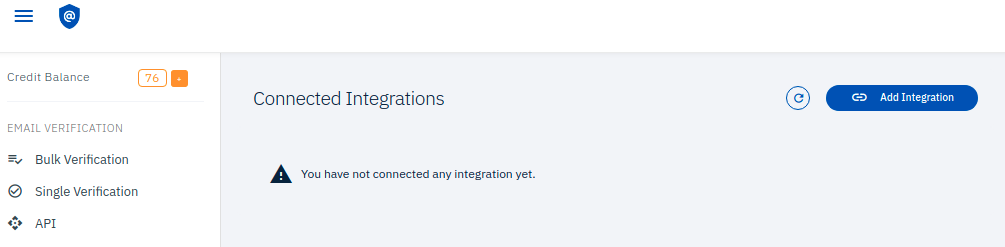
- To begin with this integration, you need to connect your Benchmark account to Bouncify. Login to your Bouncify account and navigate to the “Integrations" page.
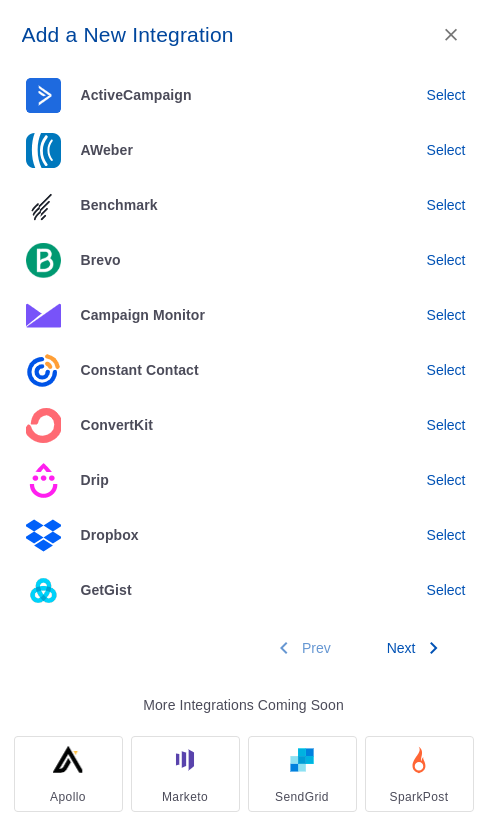
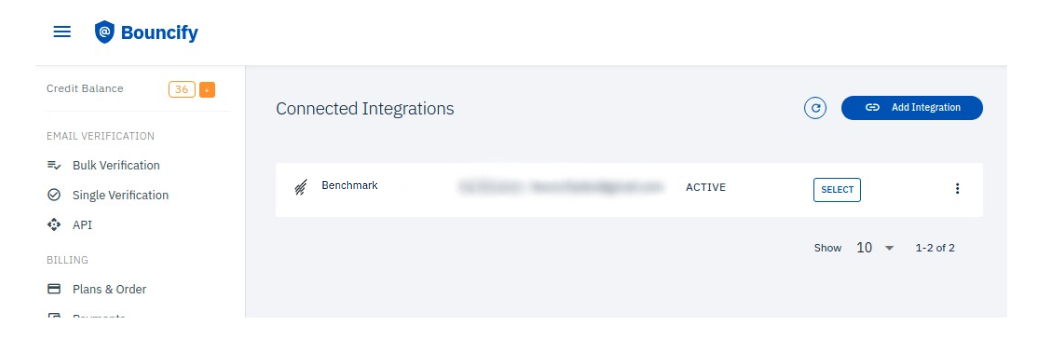
- Click the “Add Integration” button at the top right corner of the page. This will open a popup window displaying a list of apps to integrate.
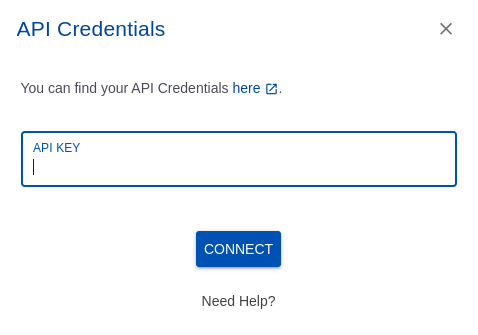
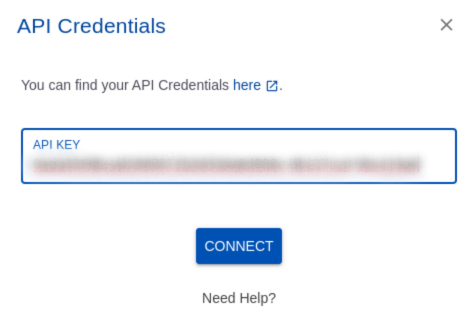
- Select “Benchmark” integration, it will open a pop-up box requesting the API credentials.
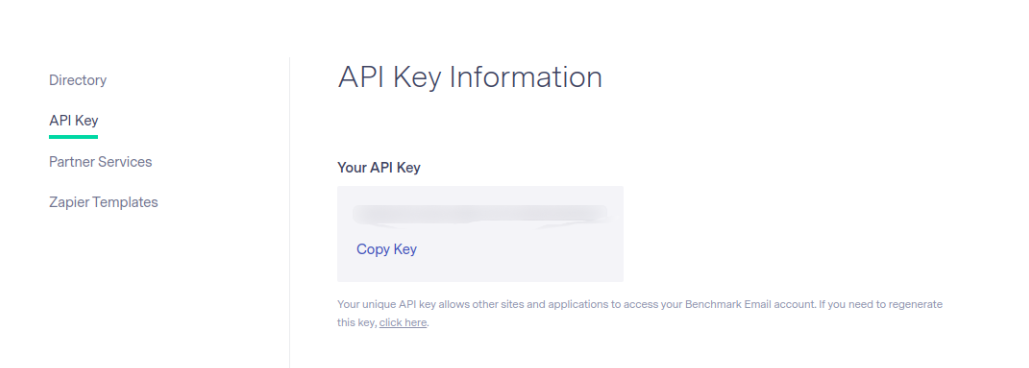
- To get the credentials login to your benchmark account -> Select Profile ->
Select
integration ->Under API section “Your API KEY is available. Copy the API
key.
Note : Save the API key for future purposes.
- Now navigate back to your Bouncify account and paste your API key and click “CONNECT”.
Importing a email list from Benchmark
- Once you have successfully connected, your Benchmark integration will be listed in the integration page. Select the Benchmark integration from the Integrations page.
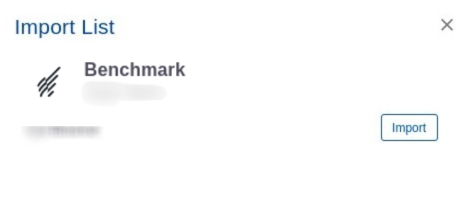
- This will redirect to the Bulk email verification page and a pop-up box appears with your Benchmark lists. Select the required list and click “Import” to start importing your list.
Verifying a Benchmark List
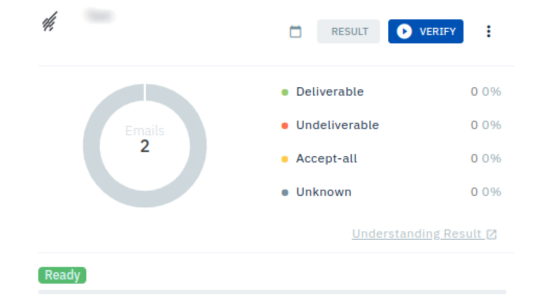
- Once imported, click “Verify” in the top right corner of your list and then click “Clean List” in the pop-up box.
Unsubscribe invalid emails from your Benchmark account
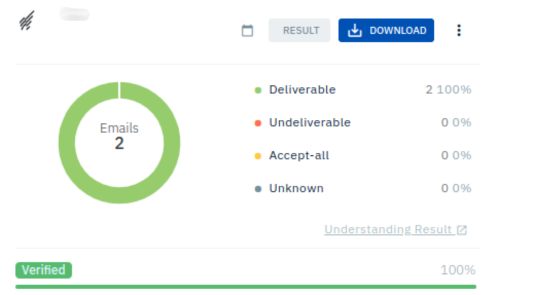
- Once your verification is completed click “Download” at the top right corner of the list. This will open a popup window with download and export options.
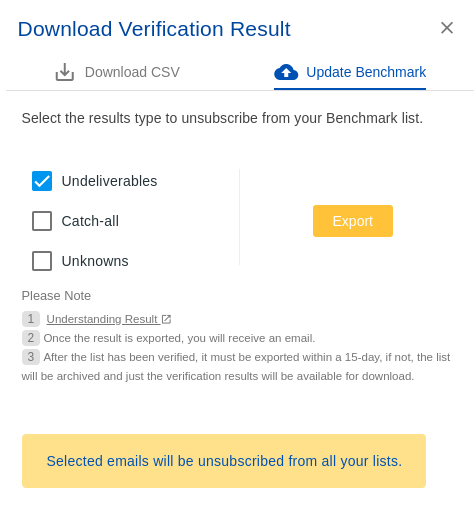
- Go to the “Update Benchmark” tab, select the result types that you are going to unsubscribe in the Benchmark account. Then click the “Export” button. You can also download your result as a csv file.
- Wait for a few seconds to complete the process. You will receive an email notification once the export is complete.
- Note: Upon completion of list verification, the list must be exported to Benchmark within 15 days. If not exported within this timeframe, the list will be archived, and only the verification results will be available for download.
Disconnecting Benchmark
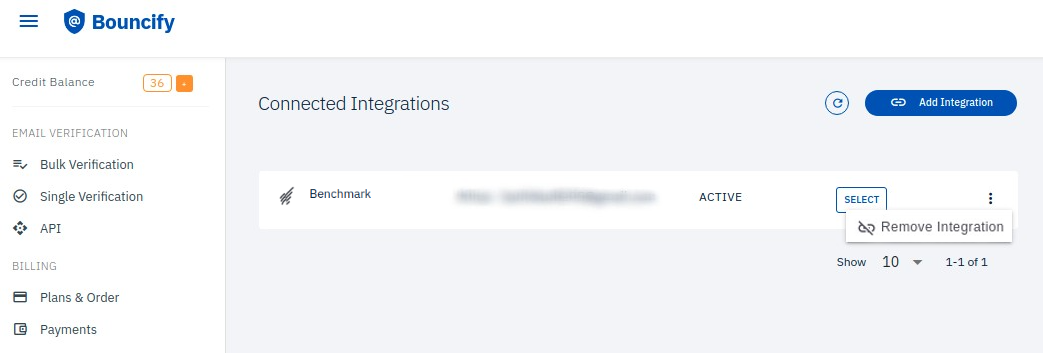
- You can disconnect your benchmark account. Navigate to the “Integrations” page in your Bouncify account. And select (:) icon at the right side of your Benchmark
- Then click “Remove Integration”. This will open a pop up window to confirm the disconnect.
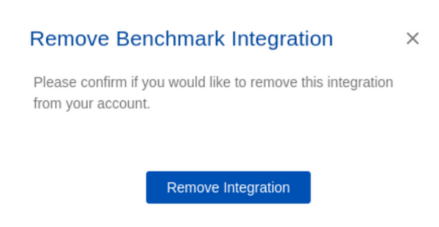
Note: You won't be able to export verification results to Benchmark after disconnecting the integration.
Key Advantages of Bouncify + Benchmark
- Automated Cloud Sync: No CSV downloads or file formatting issues. Contacts transfer securely via authenticated API or OAuth2.
- 99.4% Verified Accuracy: Comprehensive 9-stage verification eliminates invalid emails, spam traps, disposable addresses, and syntax errors.
- Sender Score Safeguard: Automatically suppress bounces and keep your ESP bounce rate safely below 1%, protecting campaign deliverability.
- Credits Never Expire: Pay-As-You-Go verification credits never expire. Use your credits whenever your campaign schedule demands.
Frequently Asked Questions
Retrieve your Benchmark API key from your Benchmark Account Settings > Integrations > API Key, paste it into Bouncify's integration modal, and click Connect.
You can select any specific list from your Benchmark account to import and verify. Bouncify retrieves the list without altering other lists or segments.
Removing invalid emails, spam traps, and syntax errors keeps your bounce rate below 1%, ensuring Benchmark servers maintain a stellar sender reputation and your emails reach the primary inbox.
Bouncify executes syntax validation, DNS and MX record verification, SMTP mailbox checks, disposable email detection, catch-all detection, and spam trap identification.
Connected Ecosystem
Related Integrations



Let's Try! 100 Free Credits
Ready to Stop Bounces and Maximize Deliverability?
Join 10,000+ businesses and developers protecting their sender reputation with Bouncify.
